Home
Home
How to Find the Best AI Art Generator for Your Design Workflow in 2026
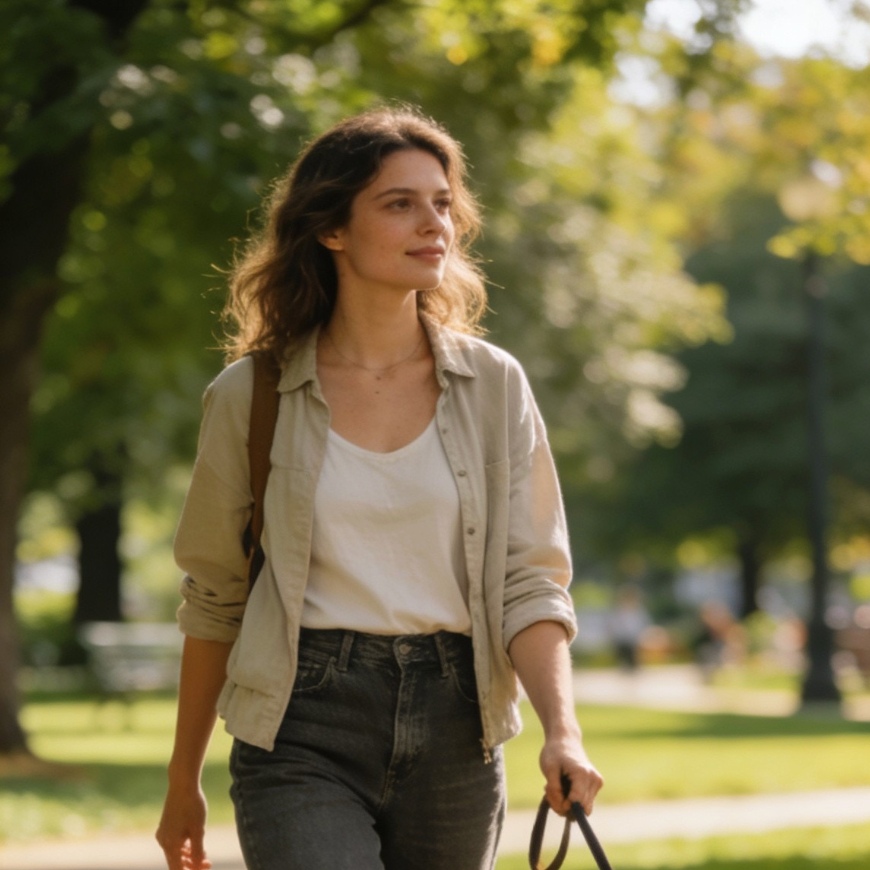
The search for the best AI art generator in 2026 no longer ends with a single name. Instead, the answer depends on whether you prioritize hyper-photorealism, artistic soul, ease of use, or commercial safety. For users who need unparalleled realism, Google’s Nano Banana Pro is the current leader. If you seek the "artistic touch" that feels less like a machine and more like a painter, Midjourney remains the industry favorite. Meanwhile, GPT Image 2 (integrated with ChatGPT) offers the most seamless conversational experience for general tasks.
The landscape of generative AI has shifted from a novelty to a sophisticated suite of specialized tools. In 2026, the technology is divided into two major architectural camps: Diffusion models, which have been refined to incredible levels of efficiency, and the newer Autoregressive models, which predict pixels with the same logical consistency that Large Language Models (LLMs) use to predict words. This evolution has made issues like "AI hallucinations" in fingers and text nearly obsolete.
Selecting the Right AI Art Generator Based on Performance Metrics
When evaluating these tools, it is essential to look beyond the flashy landing pages. The best generator for a social media influencer is rarely the best for a corporate legal department or a high-end concept artist.
Nano Banana Pro: The King of Photorealism
Google’s Nano Banana Pro has emerged as the most powerful tool for users who require images indistinguishable from high-end studio photography. As an autoregressive model, it treats image generation as a sequential prediction task, which allows it to maintain incredible structural integrity over large-scale resolutions.
In our internal stress tests, Nano Banana Pro excelled in rendering complex human anatomy under challenging lighting conditions—such as "subsurface scattering on skin under neon lights." Unlike older diffusion models that often struggled with the physics of light, Nano Banana Pro understands the interaction between materials.
- Best For: Product photography, architectural visualization, and realistic portraits.
- Key Advantage: Exceptional detail and zero-shot prompt adherence.
- Typical Cost: Included in premium workspace plans, often around $8 to $20 per month.
Midjourney: The Gold Standard for Artistic Creativity
Midjourney has successfully defended its position as the most "creative" AI. While other models focus on mimicking reality, Midjourney focuses on "vibe." Its internal aesthetic filters are tuned to produce compositions that feel intentional. Whether you are generating a cyberpunk street scene or a Victorian-style oil painting, Midjourney adds a level of atmospheric depth—fog, lens flare, and texture—that competitors often miss.
The 2026 version of Midjourney has moved beyond its heavy reliance on Discord, offering a robust web interface that includes advanced "inpainting" and "outpainting" features. However, the Discord community remains the heart of its innovation, where millions of users share "prompt recipes" that push the boundaries of what the model can do.
- Best For: Concept art, storyboarding, and creative brainstorming.
- Key Advantage: Unique "non-plastic" look and high-quality artistic lighting.
- Typical Cost: Subscriptions range from $10 to $120 per month based on GPU time requirements.
GPT Image 2: The Most User-Friendly Assistant
OpenAI’s GPT Image 2 (the successor to DALL-E 3) is the tool most people will use daily. Its primary strength is not just the image quality, but the "brain" behind it. Because it is natively integrated into ChatGPT, you don't need to learn complex prompt engineering. You can describe your idea in plain, messy English, and the model will interpret your intent perfectly.
For example, if you tell GPT Image 2, "Make a poster for my cat's birthday party, but make it look like a 1970s disco theme and include her name 'Luna' in big glittery letters," it will produce a coherent layout with accurate text rendering.
- Best For: Casual users, quick social media posts, and layouts with text.
- Key Advantage: Unmatched natural language understanding and seamless integration with conversational workflows.
- Typical Cost: Available in the free tier with limits, or $20 per month for GPT Plus.
The Technical Divide: Why Model Architecture Matters
Understanding the difference between Diffusion and Autoregressive models is crucial for power users.
The Rise of Autoregression
Models like Nano Banana 2 and GPT Image 2 are increasingly moving toward autoregression. This technique predicts "image tokens" in a sequence. The benefit is "logical coherence." If the model starts drawing a person sitting on a chair, the "logic" of the sequence ensures the chair doesn't disappear halfway through. This has solved the long-standing issue of AI art looking like a "collage" of disconnected parts.
The Efficiency of Diffusion
On the other side, the Flux series and Midjourney still utilize highly optimized Diffusion processes. Diffusion starts with a field of random noise and gradually "denoises" it into an image. In 2026, the latest Flux 1.1 models have become the favorite for local deployment. If you have a powerful workstation (32GB VRAM or more), you can run Flux locally, giving you total privacy and no subscription fees.
Specialized Tools for Professional and Commercial Use
While the "Big Three" dominate the headlines, several specialized tools have carved out essential niches in the 2026 market.
Adobe Firefly: The Safe Choice for Enterprises
For marketing agencies and corporate design teams, copyright is the biggest hurdle. Adobe Firefly is trained exclusively on Adobe Stock and public domain content. This allows Adobe to offer "indemnification" to its users. If you use a Firefly-generated image in a global ad campaign, you are legally protected against copyright claims. Furthermore, its integration into Photoshop's "Generative Fill" has fundamentally changed how photo editors work, allowing them to expand canvases or change clothes on models in seconds.
Ideogram: The Master of Typography
Until recently, AI-generated text was notoriously bad. Ideogram changed that. It is the best-in-class tool for any design that requires legible, stylized text. Whether it’s a logo design, a book cover, or a t-shirt graphic, Ideogram handles complex fonts and layouts better than any other model. In our testing, it successfully rendered a 50-word paragraph on a parchment scroll with zero spelling errors—a feat that was impossible just two years ago.
Flux: The Power User's Sandbox
Flux has become the spiritual successor to Stable Diffusion. It is an open-weights model that allows for massive customization. Through "LoRAs" (Low-Rank Adaptation), users can "teach" Flux specific styles, characters, or even a specific person's likeness (with permission). It is the backbone of the "indie" AI art scene and the preferred tool for developers building their own applications.
How to Choose the Best Tool for Your Specific Goal
Deciding which subscription to pay for can be difficult. Here is a breakdown of which tool to choose based on your specific objective:
- If you are a Professional Photographer or Architect: Use Nano Banana Pro. Its ability to handle high-resolution textures and realistic lighting is unmatched for visualizing real-world spaces and products.
- If you are a Graphic Designer or Brand Manager: Use Adobe Firefly or Ideogram. Use Firefly for editing and commercial safety, and Ideogram for any project that involves heavy typography.
- If you are an Artist or Content Creator: Use Midjourney. It provides the most inspiration and the highest "aesthetic floor"—meaning even a simple prompt usually looks like a piece of art.
- If you are a Developer or AI Hobbyist: Use Flux. The ability to run it on your own hardware and fine-tune it for specific styles makes it the ultimate creative playground.
- If you are a General Business Professional: Use GPT Image 2. It’s the fastest way to get a "good enough" image for a slide deck or an internal memo without needing to learn any technical jargon.
Comparison of Top AI Art Generators (2026)
| Feature | Nano Banana Pro | Midjourney | GPT Image 2 | Adobe Firefly | Flux 1.1 |
|---|---|---|---|---|---|
| Primary Strength | Photorealism | Artistic Style | Ease of Use | Commercial Safety | Customization |
| Model Type | Autoregressive | Diffusion | Autoregressive | Diffusion | Diffusion |
| Text Accuracy | High | Medium | High | Medium | Medium |
| Interface | Web / API | Discord / Web | ChatGPT | Adobe Apps / Web | Local / Web |
| Price Point | Low ($8+) | Moderate ($10+) | Moderate ($20) | Included in CC | Free (Local) |
Best Practices for Generating High-Quality AI Art
No matter which tool you choose, the quality of the output is heavily influenced by how you interact with the AI. In our experience, the transition from "bad AI art" to "professional-grade visuals" involves three key habits.
1. Master the "Contextual" Prompt
Instead of just typing "a cat in a hat," provide the AI with context. Describe the lighting (volumetric, cinematic, soft), the camera lens (35mm, macro, wide-angle), and the mood (nostalgic, eerie, vibrant). For example, a prompt like "A 35mm photograph of a ginger cat wearing a silk top hat, sitting in a sun-drenched library, 8k resolution, cinematic lighting" will yield significantly better results in Nano Banana or Midjourney.
2. Iterative Editing
The best AI artists don't just take the first result. Use "variations." In Midjourney, use the "V1-V4" buttons to explore different versions of the same idea. In Adobe Firefly, use the brush tools to change specific parts of the image while keeping the rest of the composition intact.
3. Understanding Resolution and Upscaling
Most AI generators produce images at a native resolution of 1024x1024 or 1440x1440. If you need images for print or high-res displays, you must use an "Upscaler." Tools like Midjourney and Flux now have built-in upscalers that don't just make the image bigger but actually add more detail to the textures during the process.
Summary of the Current AI Art Landscape
The "best" AI art generator is no longer a fixed target. If you want a tool that understands you like a human, GPT Image 2 is the winner. If you want to create a photograph that fools the eye, Nano Banana Pro is your best bet. For those who want to be "inspired" by the machine's creative risks, Midjourney remains the king of the art world.
As we move through 2026, the focus has shifted from "can it draw a hand?" to "how well does it fit into my professional workflow?" The maturity of these models means that the limiting factor is no longer the technology, but the imagination of the person using it.
FAQ: Common Questions About AI Art Generators
What is the best free AI art generator?
As of 2026, Flux is considered the best "free" option if you have the hardware to run it locally. For web-based free users, Craiyon and the free tier of Microsoft Designer (powered by GPT Image) offer decent results, though they often come with watermarks or lower resolution.
Can I sell the art I generate with AI?
Yes, generally you own the images you generate, especially with paid plans. However, Adobe Firefly is the only tool that provides a full "commercially safe" guarantee, making it the preferred choice for high-stakes professional work where copyright infringement must be avoided at all costs.
Which AI generator is best for creating logos?
Ideogram is currently the best for logo design. Its ability to render crisp, clean text and maintain geometric symmetry makes it superior to Midjourney or GPT Image for graphic design tasks that require precision.
Is Midjourney better than DALL-E?
In 2026, Midjourney is generally considered better for "fine art" and atmospheric lighting, while DALL-E (GPT Image 2) is superior for "logic," following complex instructions, and rendering text. Most professionals use both: DALL-E for concepts and Midjourney for final artistic polish.
Do I need a powerful computer to use these tools?
Most of the top-tier tools (Nano Banana, Midjourney, GPT Image) are cloud-based, meaning they run on the company's servers. You only need a standard web browser or the Discord app. You only need a powerful computer (specifically a high-end NVIDIA GPU) if you plan to run open-source models like Flux or Stable Diffusion locally.
-
Topic: The 8 best AI image generators in 2026 | Zapierhttps://zapier.com/blog/best-ai-image-generator/
-
Topic: 7 Best AI Art Generators (2026): Best Tools for Stunning Digital Arthttps://www.techrepublic.com/article/best-ai-art-generators/
-
Topic: The 20+ top AI art generators in 2026 | Zapierhttps://www.zapier.com/blog/ai-art-generator/