Home
Home
How to Build Multi Step Automation Using the New ChatGPT Agent Builder

Artificial intelligence is shifting from a tool for isolated, one-off tasks to a robust engine for repeatable business workflows. For a long time, users relied on simple chat interfaces or basic Custom GPTs to handle singular prompts. However, as organizations demand more structured outputs and complex logic, OpenAI has introduced a more powerful solution: the Agent Builder. This visual environment allows creators to design, test, and deploy multi-step agentic workflows that can reason through data, use specialized tools, and interact with external systems.
Understanding the Shift from Chat to Workflows
The fundamental difference between a standard ChatGPT interaction and a workflow built in the Agent Builder lies in its predictability and structure. In a standard chat, the user provides a prompt and the AI generates a response. While effective for brainstorming or drafting, this approach lacks the "guardrails" necessary for complex business processes that involve multiple steps, handoffs, and external data calls.
A workflow is a combination of agents, tools, and control-flow logic. Unlike traditional automated workflows in platforms like Zapier, which are often strictly deterministic (if X then Y), AI-driven workflows are probabilistic. This means they use the underlying large language model (LLM) to interpret context and make bounded decisions at each step. The Agent Builder provides the canvas where these steps are visually mapped out, allowing for the creation of sophisticated AI systems that can handle real-world constraints like timing, accuracy, and process integrity.
Core Components of the ChatGPT Workflow Builder
To build an effective agentic workflow, it is essential to understand the three primary components that define its behavior: Triggers, Processes, and Tools.
The Trigger: Defining the Starting Point
Every workflow begins with a trigger. This is the event that initiates the AI's action. In the Agent Builder, triggers can be manual—such as a user clicking a button or sending a message—or scheduled. Scheduled triggers allow the agent to run at specific intervals, such as "every Monday at 9:00 AM" or "every weekday at sunset." This capability is critical for background tasks like generating weekly performance reports or auditing system logs without human intervention.
The Process and Skills: The Logic Engine
The process defines the specific steps the agent follows to complete a task. This is where the "reasoning" happens. Within the builder, you define skills—specialized instructions that help the agent follow a defined path. For instance, a process might involve reviewing an input file, checking for missing information, drafting an output, and then requesting human approval before moving to the next stage.
Tools and Systems: Connecting to the Real World
An agent is only as powerful as the systems it can access. Through the Agent Builder, users can connect their agents to a variety of tools, including:
- Standard Applications: Google Drive, Microsoft SharePoint, Slack, and Gmail.
- Custom APIs: Via the Model Context Protocol (MCP) or standard API actions, allowing the agent to pull data from a proprietary CRM or an internal database.
- Built-in Capabilities: Image generation (DALL-E), advanced web searching, and data analysis.
The Visual Building Experience: Nodes and Edges
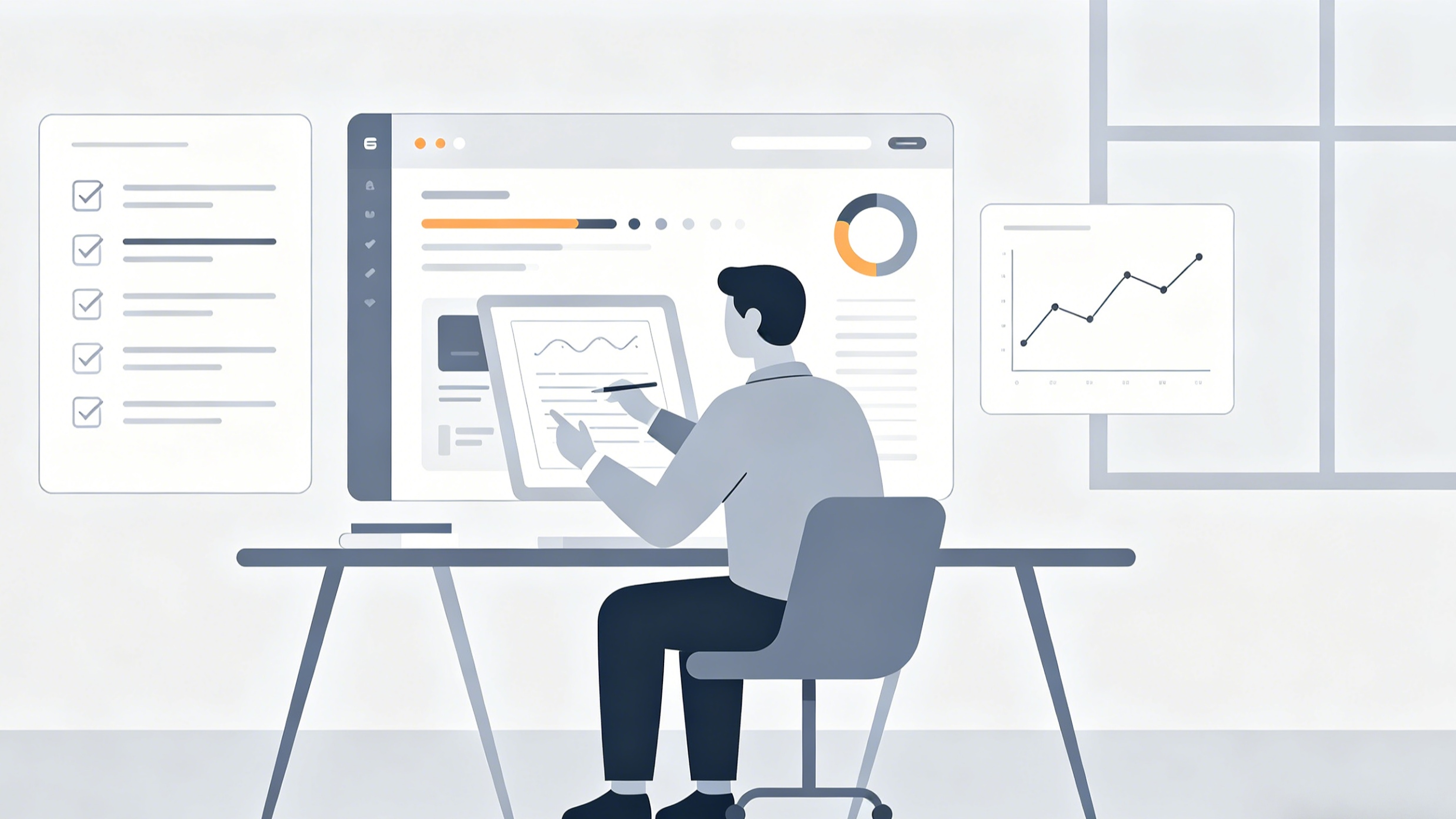
The centerpiece of the ChatGPT Agent Builder is its visual canvas. This interface allows developers and product managers to construct workflows by dragging and dropping "nodes" and connecting them with "edges."
Mapping the Logic with Nodes
Each node represents a distinct step or a logic gate in the workflow. In our testing of the builder's interface, the modularity of these nodes proved to be its greatest strength. Common node types include:
- Agent Nodes: These are the primary actors. You can assign different personas or system instructions to different agent nodes within a single workflow. For example, one agent might be a "Data Analyst" while the following agent is a "Professional Copywriter."
- Logic Nodes: These include "If/Else" statements and "Loops." This allows the workflow to branch based on the output of a previous step. If the AI detects a high-priority customer complaint, it can branch to an "Urgent Response" node; if the complaint is routine, it can follow a "Standard Feedback" path.
- Approval Nodes: For high-risk workflows, such as those that send emails to clients or modify budget spreadsheets, approval nodes pause the workflow and wait for a human to review and authorize the next action.
Defining Data Contracts with Edges
The lines connecting the nodes are not just visual guides; they represent typed edges. In a professional production environment, data integrity is paramount. When you connect two nodes, you are defining a data contract. The output of the "Data Extraction" node (perhaps a structured JSON object) must match the expected input of the "Report Generation" node. The Agent Builder provides a configuration panel for each node to ensure these properties are correctly mapped, preventing the common "hallucination" issues where the AI might lose track of specific data points between steps.
Advanced Features for Enterprise Use
Beyond basic drag-and-drop functionality, the Agent Builder includes several advanced features designed for reliability and safety in an enterprise context.
Model Context Protocol (MCP) and Tool Integration
One of the most significant technical advancements in this ecosystem is the Model Context Protocol (MCP). This protocol standardizes how AI models interact with external data sources. Instead of writing custom code for every integration, developers can use MCP to provide agents with a consistent way to "read" and "write" to different software stacks. During our technical evaluation, using MCP significantly reduced the latency often associated with multi-hop API calls, as it allows the model to better predict the structure of the data it will receive.
Connector Action Constraints
For organizations concerned about security, OpenAI has implemented Connector Action Constraints. These constraints allow builders to limit exactly what an agent can do within a connected app. For example, you can create a rule that:
- Only allows an email agent to send messages to recipients within a specific corporate domain (e.g., @company.com).
- Restricts a file-reading agent to a specific folder in Google Drive rather than the entire drive.
- Blocks specific keywords from being searched in a database.
These constraints provide an extra layer of governance that goes beyond simple permissions, ensuring that the AI operates within the intended "sandbox."
Evaluation and Trace Graders
Building a workflow is only half the battle; ensuring it performs consistently is the other. The Agent Builder includes "Trace Graders"—an evaluation tool that assesses the performance of a workflow based on historical runs. By selecting a set of traces (logs of previous executions), users can run custom graders to check for accuracy, tone, and adherence to logic. This iterative feedback loop is essential for moving an AI agent from a "prototype" to a "production-ready" tool.
Workflow Patterns: Common Use Cases
To illustrate the versatility of the ChatGPT workflow builder, let us look at three common patterns that are currently being implemented across various industries.
1. The Multi-Source Briefing Agent
In this pattern, the agent is designed to pull information from multiple disparate sources and distill it into a decision-ready format.
- The Trigger: A scheduled weekly run on Monday mornings.
- The Process: The agent pulls data from a CRM (like Salesforce), recent Slack conversations in a specific channel, and news mentions of competitors.
- The Logic: An agent node analyzes the patterns, extracts key signals, and identifies risks.
- The Output: A formatted PDF briefing is uploaded to a shared SharePoint folder and a summary is posted to an executive Slack channel.
2. Triage and Routing Agent
This workflow is used to process inbound items, such as customer support tickets or internal IT requests, and ensure they reach the correct destination.
- The Trigger: A new form submission or a message in a "support-request" channel.
- The Process: The agent reviews the text, categorizes it by urgency and topic (e.g., "Billing Issue," "Technical Bug," "Feature Request").
- The Logic: An "If/Else" node determines the routing. High-priority billing issues are sent to a human manager for immediate approval, while feature requests are logged in a product backlog spreadsheet.
- The Output: A new ticket is created in the company's ticketing system with the appropriate tags and priority level.
3. Content Creation and Tailoring
Marketing teams use this pattern to transform raw notes or transcripts into polished, channel-specific assets.
- The Trigger: A user uploads a transcript of a webinar.
- The Process: Agent 1 generates a comprehensive blog post draft. Agent 2 takes that draft and breaks it down into five LinkedIn posts and ten Twitter (X) threads.
- The Logic: A "Style Consistency" node checks all outputs against the brand's voice guidelines.
- The Output: The drafts are sent to a marketing manager for review via an approval node before being scheduled for publication.
Comparison: Agent Builder vs. Custom GPTs vs. Zapier
When deciding how to automate a task, it is important to choose the right tool for the job.
| Feature | Custom GPTs | Agent Builder (Workflows) | Zapier / Make |
|---|---|---|---|
| Primary Use | Individual assistance | Repeatable business processes | Cross-app data movement |
| Logic Complexity | Low (Instruction-based) | High (Visual node-based) | Moderate (Filter-based) |
| Data Handling | Manual uploads | API & MCP Integration | Extensive app connectors |
| Reliability | Variable (Conversational) | High (Structured & Graded) | Very High (Deterministic) |
| Learning Curve | Very Low | Moderate | Moderate |
Custom GPTs are excellent for personal productivity—think of them as a "smarter" version of a standard chat that remembers your specific context. Zapier and Make remain the kings of moving data between 5,000+ different apps with absolute certainty. The Agent Builder occupies the middle ground: it provides the "brain" (the AI's reasoning) to handle complex, multi-step tasks that are too complicated for a simple GPT but too nuanced for a rigid Zapier sequence.
Deploying Your Workflows
Once a workflow is designed and tested in the Agent Builder, it can be deployed in several ways to make it accessible to the wider team or even external users.
Internal Publishing
Workflows can be published to an organization’s "Team Directory." This allows any member of the workspace to find and run the agent directly within the ChatGPT interface. Admins have granular control over who can access which workflows, ensuring that sensitive tools (like those with financial access) are restricted to the appropriate personnel.
External Integration with Chat Kit and SDK
For developers looking to embed these workflows into their own applications, OpenAI provides the Chat Kit. By using a specific Workflow ID, you can embed the entire agent experience into a website or a custom internal dashboard. Additionally, the Agents SDK allows for more advanced integrations where developers can download the workflow code and run it on their own infrastructure, providing ultimate control over the execution environment.
Slack Integration
Many workflows are most effective when they live where the work happens. The Agent Builder allows for direct connection to Slack. You can add an agent to a specific channel, allowing team members to trigger the workflow with a command or by mentioning the agent. This "ambient AI" approach reduces the friction of switching between apps to get work done.
Summary of Best Practices for Building Workflows
Building a high-quality AI workflow requires a different mindset than writing a standard prompt. Based on our experience with the platform, here are the key takeaways for success:
- Start with the End in Mind: Clearly define what a "successful" output looks like. Is it a 500-word summary or a structured JSON object?
- Modularize Your Agents: Do not try to make one agent node do everything. Break the task into smaller pieces—one for extraction, one for analysis, and one for formatting.
- Use Approval Nodes for Actions: Never let an AI agent send an external communication or modify a database without a human-in-the-loop until the workflow has been extensively tested.
- Monitor with Trace Graders: Regularly review the logs of your workflow to identify where the AI might be struggling with specific types of logic or data inputs.
FAQ
What is the difference between an Agent and a Workflow in ChatGPT? An agent is the "system" that performs a task, encompassing its instructions and tools. A workflow is the specific series of steps and logic (the "map") that the agent follows to complete that task.
Do I need to know how to code to use the ChatGPT Workflow Builder? No. The Agent Builder is designed as a low-code/no-code visual interface. However, having a basic understanding of logic (like "if/then" statements) and how APIs work will help you build more powerful integrations.
Is my data safe when using these workflows? OpenAI provides several layers of security, including Connector Action Constraints and Enterprise-grade data privacy. In a workspace environment, the data used within these agents is typically not used to train the underlying models, but you should always check your specific organization's privacy settings.
Can I use my own tools with the Agent Builder? Yes. You can connect custom tools by providing API specifications or using the Model Context Protocol (MCP) to bridge the builder with your internal systems.
Can one workflow involve multiple different AI models? Yes. Within the Agent Builder, you can configure different nodes to use different models or varying levels of "reasoning effort," allowing you to optimize for speed in simple steps and for accuracy in complex analytical steps.
The introduction of the ChatGPT Agent Builder marks a significant milestone in the evolution of AI. By providing a structured, visual environment for building multi-step automations, it enables businesses to move beyond the limitations of chat and into a world of reliable, repeatable, and scalable AI operations.